How to Do Keyword Research Step by Step with Free Tools
Key Insights
You can do solid keyword research without paying. Google Keyword Planner, Google Search Console, Google Trends and a few freemium tools cover discovery, demand and your own performance data.
Google Keyword Planner is free with a Google Ads account and does not need an active campaign, but accounts without ad spend see search volume as broad ranges and the competition shown is ad competition, not SEO competition.
Most free tiers cap daily searches or hide data such as volume or difficulty, so combine tools instead of expecting one to do everything.
Search volume is only one signal. Intent, the search results page and your site's authority decide whether a keyword is worth targeting.
A repeatable workflow of seed ideas, expansion, validation, prioritisation and tracking matters more than which tool you pick.
In this blog, you'll learn what keyword research is, the best free keyword research tools in 2026, how to use Google Keyword Planner for free, a step-by-step workflow, free vs paid limits and common mistakes.
Every piece of content you publish is a bet on what people are searching for. Keyword research is how you make that bet with data instead of guesswork. The good news is that you do not need a costly subscription to do it well. Search engines themselves, plus a handful of freemium tools, give you enough to plan a solid content calendar.
This guide compares the best free keyword research tools in 2026, shows how to use Google Keyword Planner without spending on ads, explains the metrics that matter and gives you a simple workflow you can repeat every month.
Keyword research is the process of finding the words and phrases your audience types into search engines, then deciding which ones to target with your content. It tells you what people want, how often they ask and how hard it is to compete.
Good keyword research helps you:
Understand demand: what your audience actually searches for.
Match intent: whether people want to learn, compare or buy.
Prioritise effort: which topics offer the best chance of ranking.
If the vocabulary is new to you, our SEO terminology guide explains terms such as intent, SERP and long-tail keywords, and our article on how search engines work shows why matching intent matters.
Google Keyword Planner is the most searched tool on this list, and for good reason: it uses data straight from Google. It lives inside Google Ads, so you need an account, but you do not need to run or pay for a campaign.
The trade-offs matter. Without active ad spend, volumes appear as ranges, such as 1K to 10K, and the “competition” column measures advertiser competition, not how hard it is to rank organically. Use it to compare relative demand and discover ideas, not to forecast exact traffic.
2. Google Search Console
Search Console shows the queries your site already appears for, with clicks, impressions and average position. It is the best free source of “quick win” keywords, such as queries where you rank on page two. It only covers your own site, so pair it with a discovery tool.
3. Google Trends
Trends shows how interest in a topic changes over time and by region, and lets you compare terms. It is ideal for seasonality, rising topics and deciding between two phrasings. The numbers are relative, not absolute volumes.
4. Ahrefs Free Keyword Generator
Ahrefs offers a free keyword generator that needs no account. It returns keyword ideas with basic metrics such as difficulty, though volume and results are limited compared with a paid plan. It is useful for a quick difficulty sanity check.
5. Semrush Free Account
A free Semrush account gives a limited number of daily searches across tools such as Keyword Magic and domain overview. A single seed term can return a large, grouped list with intent labels, so use your daily allowance on your most important seeds.
6. Ubersuggest
Ubersuggest’s free tier allows a few searches a day with volume and difficulty estimates, a handy second opinion alongside Keyword Planner.
7. AnswerThePublic
This tool turns autocomplete data into questions and prepositions around your seed term, which is excellent for FAQs, blog outlines and long-tail ideas. The free version typically shows no volume data, so validate promising questions elsewhere.
8. Keyword Tool
Keyword Tool (keywordtool.io) generates suggestions from autocomplete across Google, YouTube, Bing and other sources. The free version limits data such as volume, so treat it as an idea generator.
9. AlsoAsked, People Also Ask and Google Autocomplete
Google’s own suggestions are free and unlimited. Type a seed into the search bar, note the autocomplete options and expand the “People also ask” box. These reveal how real people phrase questions and what they want next.
10. Keyword Surfer
A free browser extension that shows estimated volumes and related keywords beside Google results. Double-check priority terms.
How to Use Google Keyword Planner for Free
Sign in to Google Ads with a Google account and create an account. When prompted to build a campaign, look for the option to skip it, such as switching to Expert Mode or creating an account without a campaign. This Rank Math walkthrough shows the steps.
Open Tools, then Planning, then Keyword Planner.
Choose Discover new keywords to get ideas from seed terms or a website, or Get search volume and forecasts to check a list you already have.
Set the right location and language, since volume varies by market.
Sort by relevance and average monthly searches, and export the list.
Remember the limits: volumes are ranges without ad spend, and “competition” refers to ads.
How to Do Keyword Research Step by Step with Free Tools
Start with seed topics. List five to ten topics your customers care about, using sales calls, support questions and competitor sites.
Expand with free suggestions. Use Google Autocomplete, People Also Ask, AnswerThePublic and Keyword Planner to broaden each seed into dozens of phrases.
Check demand. Use Keyword Planner ranges and Google Trends to see which terms have steady or growing interest.
Read the search results. Search each priority keyword yourself. Do the top results match the content you plan to create? If not, the intent may differ.
Estimate difficulty. Use free difficulty checks, and look at who ranks. If the top ten are large brands, a smaller site may struggle.
Add your own data. Check Search Console for queries you already rank for and improve those pages first.
Group and map. Cluster related keywords and assign each cluster to one page. Our guide to LSI and related keywords explains how related terms support a page.
Plan and track. Build a content calendar and review rankings monthly. Our guides on content strategy and creating an SEO strategy show how research feeds into execution.
Keyword Metrics Explained
Metric
What it means
How to use it
Search volume
Average monthly searches
Compare relative demand, not exact traffic
Keyword difficulty
Estimated effort to rank
Treat as a rough guide, differs by tool
CPC
What advertisers pay per click
Signals commercial value
Search intent
Why the person is searching
Match your content type to it
SERP features
Snippets, videos, people-also-ask boxes
Shows opportunities and competition
Trend
Direction of interest over time
Spot seasonality and rising topics
Intent is the metric most beginners ignore. The four common types are informational (learn), navigational (find a site), commercial (compare) and transactional (buy). A high-volume keyword with the wrong intent will not convert.
Free vs Paid Keyword Research Tools: When to Upgrade
Free tools are strong for your own site and for idea generation. They are weaker on competitor data, historical trends and scale. Typical signs it is time to pay:
You publish many pieces a month and need keyword clustering.
You need competitor keyword gaps and backlink context.
You manage multiple sites or clients.
Daily search limits slow your workflow.
You need reliable rank tracking.
Until then, a stack of Keyword Planner, Search Console, Trends and one freemium tool covers most small teams.
Blogs and content marketing: prioritise informational and question keywords. See what content marketing involves.
YouTube: use autocomplete in YouTube search and review our YouTube SEO tips.
Paid search: Keyword Planner shines here because it is built for advertisers. Learn the basics in our guide to PPC.
Local businesses: add location terms and check local intent.
E-commerce: focus on commercial and transactional terms and product attributes.
AI-driven search: as answer engines grow, conversational questions matter more. Our guide on using AI tools for SEO shows how AI can help with research, but always verify its suggestions with real data.
Common Keyword Research Mistakes
Chasing volume alone: high volume often means high competition and mixed intent.
Ignoring intent: content that does not match what searchers want will not rank or convert.
Treating tool numbers as exact: volumes and difficulty are estimates.
Targeting one keyword per page: pages rank for clusters of related terms.
Never revisiting: refresh research regularly. Follow top SEO trends to stay current, and use an SEO audit to find pages that need updating.
Conclusion
You can build a strong keyword strategy with free tools. Start with Google Keyword Planner and Search Console, add Google Trends and a freemium tool or two, validate every priority keyword by reading the search results and track your progress. The tool matters less than the habit of researching, publishing and learning from the data, and our guide to effective SEO strategies shows what to do once your pages are live.
If you want to build wider digital marketing skills, including SEO and content marketing, explore Jaro Education’s free Marketing in New Age Digital World course. It is a short online course mentored by Anvesha Poswalia, formerly Head of Digital and E-Commerce at Hindustan Unilever, and it covers SEO, content marketing, Google and Meta marketing tools, digital strategy and generative AI in marketing, with a certificate of completion.
Frequently Asked Questions
There is no single best tool. Google Keyword Planner and Google Search Console are the best free starting points, and Google Trends, Ahrefs’ free generator, Semrush’s free plan and AnswerThePublic add useful angles.
Yes. It is free with a Google Ads account, and you do not need an active campaign. Accounts without ad spend see search volume as ranges rather than exact numbers.
Google shows broad ranges to accounts without active ad spend. Combine the ranges with other signals, such as Trends and Search Console, to judge demand.
Keyword research is finding and analysing the terms people search for, so you can create content that matches their intent and has a realistic chance of ranking.
They give useful estimates, not exact figures. Volumes and difficulty scores differ between tools, so use them to compare keywords and confirm important choices by checking the search results.
A keyword tool is software that generates suggestions and metrics. Keyword research is the whole process of choosing, validating and prioritising keywords, in which tools are only one part.
Target one main topic per page and include a cluster of closely related terms and questions naturally, rather than forcing many unrelated keywords.
Do a full review quarterly and a quick check each month, for example in Search Console, since search behaviour and competition change.
Priya Sahu
Sales & Digital Marketing Strategist
Sales and Marketing professional with 6+ years of experience in B2B and B2C growth, specializing in business development and digital marketing. Skilled in CRM systems, paid campaigns, and AI-driven strategies to drive revenue, optimize performance, and build lasting client relationships.
Get Free Upskilling Guidance
Fill in the details for a free consultation
Related Courses
Explore our programs
Digital Marketing: Business Models, Processes and Technologies

 October 15, 2026
 7 min read





 Key Insights
 ChatGPT
 Perplexity
 Claude
 Grok
Grok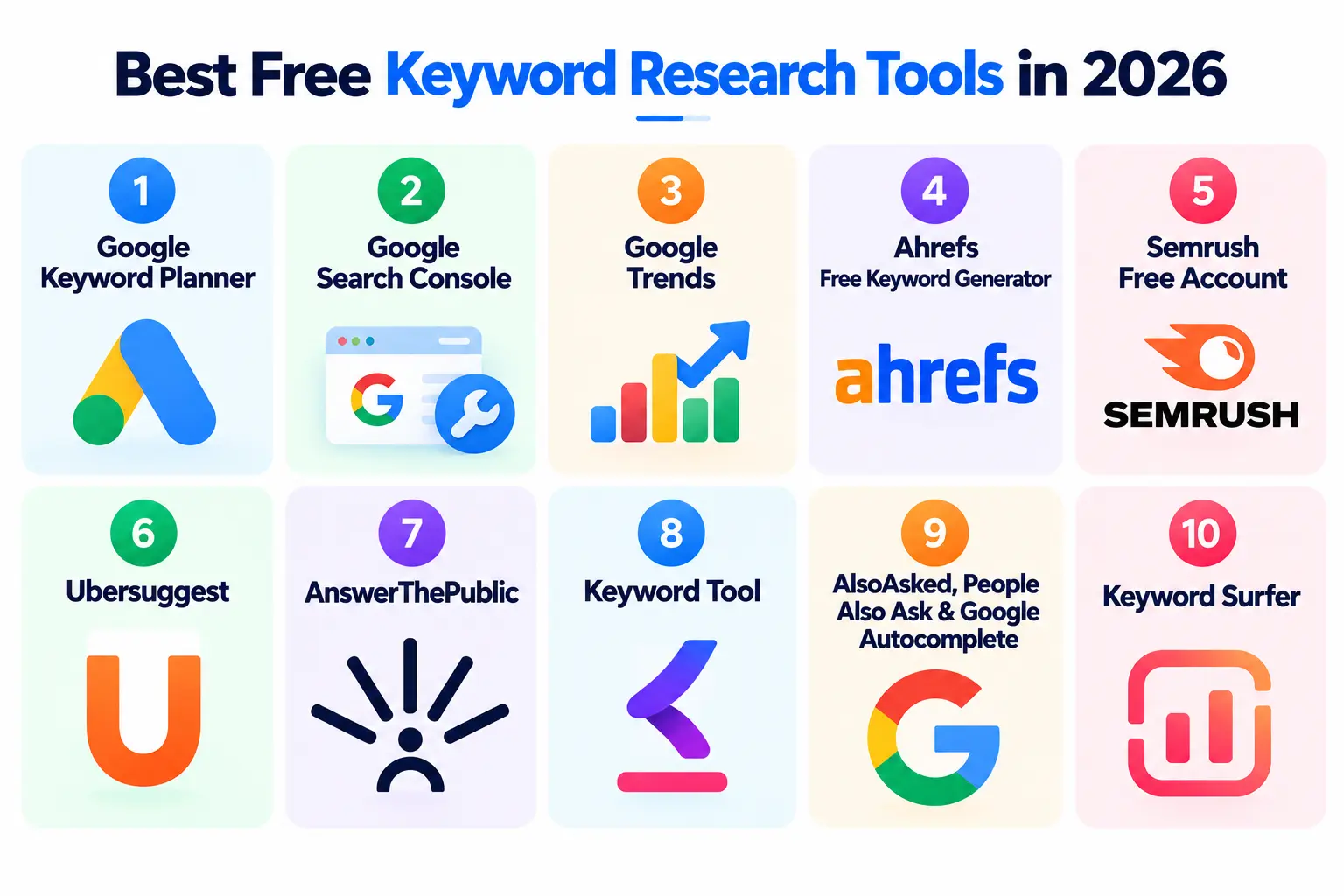












 ROI Calculator