Free SEO tools can cover most of what a small site needs: keyword research, indexing checks, page speed, technical audits and basic backlink data.
Google Search Console is the one free tool every site should set up first, because it shows how Google actually sees your pages.
A reliable free SEO audit tool stack combines Search Console, a crawler such as Screaming Frog (free up to 500 URLs) and Ahrefs' free site audit for verified sites.
Free tools have limits, such as crawl caps, no competitor data and limited history, so know when those limits start to matter.
SEO studio tools" is a term used for online toolkits of quick utilities. They are handy for small tasks but should be checked against first-party data.
In this blog, you'll learn the best free SEO tools by task, how to run a free SEO audit, free vs paid limits and a simple workflow to use them together.
You do not need an expensive subscription to start improving your search rankings. Some of the most useful SEO tools are free, and several come directly from search engines. The challenge is knowing which ones to use, what each one actually tells you and how to combine them into a simple routine.
This guide covers the best free SEO tools by task, explains how to run a free SEO audit, clarifies what people mean by SEO studio tools and shows where free tools run out of road.
SEO tools are software and web utilities that help you find keywords, check technical health, track performance and understand backlinks. They turn guesswork into data, which is the difference between “I think this page is fine” and “this page has a broken canonical and loads slowly on mobile.
Starting with free tools makes sense for three reasons. They cost nothing while you learn the fundamentals, the first-party ones (like Google’s) show data you cannot get anywhere else, and many are enough for small and mid-sized sites. If you are new to the vocabulary, our SEO terminology guide will make the reports easier to read.
Google Keyword Planner is free with a Google Ads account and gives keyword ideas and volume ranges. Google Trends shows how interest in a topic changes over time, which is useful for seasonal content. Google Search Console’s performance report shows the queries you already appear for, which is often the best source of “quick win” keywords.
Use these to build topic lists, then group related terms rather than chasing single phrases. Our guide to LSI keywords explains how related terms support a page.
Indexing and Search Performance
Google Search Console is the essential free tool. It shows indexing status, search queries, clicks, impressions, Core Web Vitals and manual actions. Bing Webmaster Tools offers similar data for Bing and is quick to set up once Search Console is verified.
Page Speed and Page Experience
PageSpeed Insights and Lighthouse test performance, accessibility and best practices, and they suggest fixes. They diagnose problems but do not find which pages on your site are affected, so pair them with a crawler.
Structured Data
Google’s Rich Results Test checks whether your schema markup is valid and eligible for rich results. Run it after adding FAQ, article or product markup.
Analytics
Google Analytics 4 is free and shows what visitors do after they land. To understand which numbers matter, read our guide to key metrics in Google Analytics.
Backlinks
Search Console’s links report shows who links to you. Ahrefs’ free offering also shows backlink data for sites you own and verify. For the strategy side, see our guide to backlink generation.
On-Page and Content
Free plugins such as Yoast SEO help with titles, meta descriptions and readability on WordPress. For drafting and editing, see our list of content writing tools.
AI Assistance
AI tools can speed up outlines, FAQs and meta descriptions, but they need human review. Learn where they help in our guide on how to use AI tools for SEO.
People search for a “free SEO audit tool” or “SEO audit tool” hoping for one button that fixes everything. In practice, the best free audit combines three tools.
Tool
What it audits
Free limit
Google Search Console
Indexing, Core Web Vitals, queries, manual actions
Free for verified sites
Screaming Frog SEO Spider
Broken links, redirects, titles, meta tags, canonicals
Crawls up to 500 URLs
Ahrefs free site audit
170+ technical and on-page checks
Credits for verified sites only
According to Ahrefs, its free offering includes a Site Audit that scans for more than 170 technical and on-page issues, with extra monthly crawl credits for verified websites. The Screaming Frog SEO Spider is a desktop crawler whose free version is limited to 500 URLs per crawl, which suits small sites and quick spot-checks.
How to Run a Simple Free SEO Audit
Verify your site in Search Console and check the indexing and Core Web Vitals reports.
Crawl the site with Screaming Frog and export broken links, redirect chains and missing titles.
Run Ahrefs’ free audit to catch issues the crawl missed and to see severity levels.
Test your slowest pages in PageSpeed Insights.
Fix by priority: indexing and broken pages first, then speed, then on-page polish.
Audits often return hundreds of warnings, which can feel overwhelming. Sort them by impact. Anything that blocks crawling or indexing, such as noindex tags on important pages, broken canonicals or server errors, comes first. Next come issues that affect many pages, like missing title tags or slow templates. Cosmetic items, such as a slightly long meta description on a low-traffic page, can wait. Fixing five high-impact problems usually beats polishing fifty minor ones.
How to Choose the Right Free SEO Tool
With so many options, a few questions help you choose well:
Is the data first-party? Tools from search engines show real data about your site, which makes them the most reliable.
Does it answer a specific question? Pick a tool for a clear job, such as “why is this page not indexed?” rather than collecting tools for their own sake.
What are the limits? Check crawl caps, daily query limits and whether you need to verify your site.
Is it easy to act on? Reports that point to specific URLs and fixes save more time than generic scores.
Is it maintained? Active tools update for algorithm and policy changes.
Free SEO Tools for Different Goals
Bloggers and content creators get the most from Search Console queries, Google Trends and a content-writing workflow. Small businesses should prioritise Search Console, a free audit and local listing checks. Online stores benefit from PageSpeed Insights, the Rich Results Test for product markup and a crawler to catch duplicate pages. Students and career switchers can learn the entire stack on a personal blog or practice site, which also becomes portfolio proof when applying for digital marketing roles.
SEO Studio Tools: What Are They?
You may have seen “SEO studio tools” in search results. The phrase is used in two ways. In general, it describes online toolkits that bundle small utilities such as meta tag checkers, keyword suggestion tools and text analysers in one place. It is also the name of specific websites that offer free utilities, many aimed at YouTube creators, such as tag and hashtag generators.
These toolkits are convenient for quick tasks, but treat their output as a starting point:
Verify against first-party data. Search Console and Analytics reflect what actually happens on your site.
Be careful with data. Do not paste confidential drafts or client information into tools you do not know.
Check how recent the data is. Keyword suggestions and metrics may be estimates or outdated.
If video is part of your plan, our YouTube SEO tips show how to apply these tools to titles, tags and descriptions.
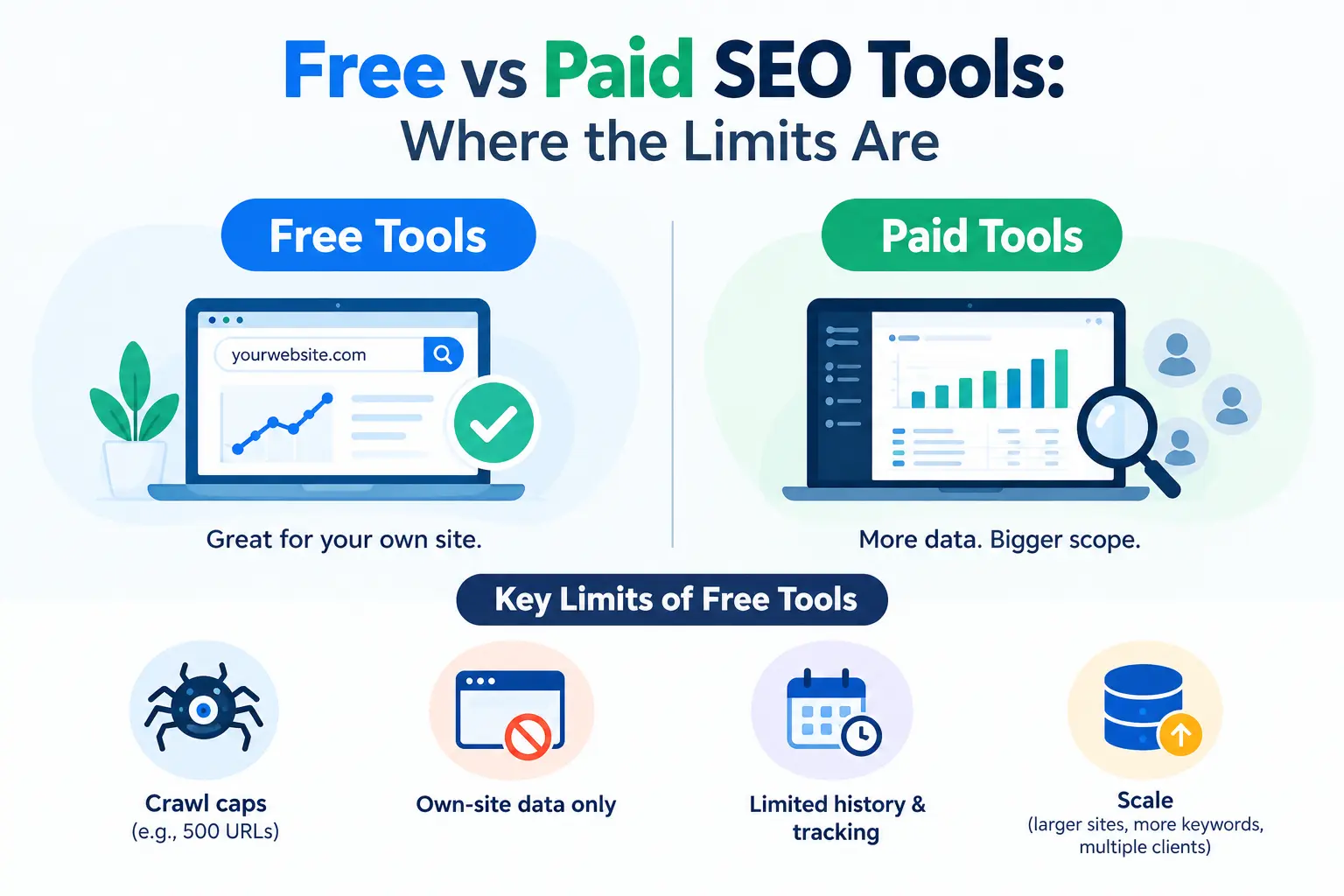
Free vs Paid SEO Tools: Where the Limits Are
Free tools are strong on your own site and weaker on the competition. Typical limits include:
Crawl caps: Screaming Frog’s free version stops at 500 URLs.
Own-site data only: Ahrefs’ free tools show data for properties you verify, not competitors.
History and tracking: free tools usually offer limited ranking history or daily keyword tracking.
Scale: large sites, many keywords and multiple clients usually justify a paid plan.
A sensible path is to master the free stack first, then upgrade only when a specific limit blocks your work.
A Simple Weekly Workflow with Free SEO Tools
You do not need to open ten tools every day. A light routine works better.
Weekly: check Search Console for indexing errors and sudden drops, review top queries and update one underperforming page.
Monthly: run a crawl, fix new broken links and redirects, and test key pages in PageSpeed Insights.
Quarterly: review your keyword targets and content gaps against your SEO strategy and scan for new opportunities in top SEO trends.
If you run a business with physical locations, add the steps in our local SEO checklist.
Chasing scores: a perfect tool score does not guarantee rankings. Fix issues that affect users and indexing first.
Ignoring context: a warning on a low-value page may not matter. Prioritise by impact.
Using too many tools: overlapping reports create noise. Pick a core stack.
Not acting on data: an audit is only useful when fixes are shipped and measured.
Trusting estimates blindly: keyword volumes and difficulty scores are estimates, so confirm with real performance data.
Conclusion
Free SEO tools are more than enough to find and fix the issues that hold most sites back. Start with Google Search Console, add a crawler and a free audit, learn to read the reports, and upgrade only when a limit gets in your way.
SEO tools are software and online utilities that help you research keywords, audit technical health, track search performance and analyse backlinks so you can improve rankings.
Google Search Console, Google Analytics 4, PageSpeed Insights, Google Trends, Google Keyword Planner, Screaming Frog (free version) and Ahrefs’ free tools for verified sites cover most needs.
No single tool does it all. A good free SEO audit tool stack combines Search Console, Screaming Frog’s free crawl of up to 500 URLs and Ahrefs’ free site audit.
Paid tools usually remove crawl limits and add scheduling, history, competitor data and team features. Free tools are enough for most small sites.
The term refers to online toolkits of small SEO utilities, and also to specific websites with that name. They are useful for quick tasks but should be checked against Search Console and Analytics data.
Tools only show you what to fix. Rankings depend on content quality, relevance, links and user experience. Free tools are usually enough to find the issues.
Check Search Console weekly, run a crawl monthly and do a deeper audit each quarter or after major site changes.
No. Most reports are visual and beginner-friendly, though basic HTML knowledge helps when fixing titles, canonicals and schema.
Priya Sahu
Sales & Digital Marketing Strategist
Sales and Marketing professional with 6+ years of experience in B2B and B2C growth, specializing in business development and digital marketing. Skilled in CRM systems, paid campaigns, and AI-driven strategies to drive revenue, optimize performance, and build lasting client relationships.
Get Free Upskilling Guidance
Fill in the details for a free consultation
Related Courses
Explore our programs
Professional Certificate Programme in AI-Powered Digital Marketing for Performance & Growth

 October 5, 2026
 7 min read





 Key Insights
 ChatGPT
 Perplexity
 Claude
 Grok
Grok




 Free tools are strong on your own site and weaker on the competition. Typical limits include:






 ROI Calculator