AI coding tools have evolved from line-by-line autocompletion to autonomous agents capable of planning, editing across multiple files, and executing terminal commands.
Modern tools accommodate diverse workflows by offering integration across standard editors, terminal environments, and browser-based interfaces.
AI-generated code can be unoptimized or contain bugs, so developers must treat outputs like draft work that requires review, testing, and validation.
Combining open-source tools, free tiers, and educational offers provides developers and students budget-friendly access to coding assistance.
In this blog, you'll learn about the top 10 AI coding tools of 2026, their key features and ideal use cases, and best practices for incorporating AI into your development workflow.
Remember when writing code meant staring at a blank screen, a dozen browser tabs open, hoping Stack Overflow had your answer? Those days are fading fast. In 2026, a huge number of developers rely on AI coding tools every single week. Reports from different surveys put the share at somewhere around 85% of developers, and many say these tools now write a big chunk of their daily code.
But here is the catch. There are so many options now that picking one feels like choosing a restaurant in a food court at 8 PM. Everything looks good, the prices are confusing, and everyone insists their favorite is "the best."
This blog cuts through the noise. Whether you are a student writing your first Pythonscript, a working developer shipping features, or someone building a side project on weekends, you will find the right pick here. We will cover what these tools actually do, how to choose, and ten of the best options for 2026, including some great free choices.
AI coding tools are software products that uselarge language models to help you write, understand, debug, test, and improve code. Think of them as a very fast, very well-read coding partner who never gets tired of your questions.
Depending on the tool, they can:
Autocomplete your code as you type, sometimes finishing whole functions.
Answer questions in plain English, like “why is this loop never ending?
Explain unfamiliar code, which is a lifesaver when you inherit a messy project.
Fix bugs and suggest cleaner ways to write something.
Write tests and documentation, the two jobs most of us keep postponing.
Work as an agent, meaning you describe a task and the tool plans it, edits multiple files, runs commands, and shows you the result.
That last point is the big shift of the last couple of years. Early tools mostly suggested the next line. Today’s best ones can take on a whole task while you review the work.
A code generator AI is trained on enormous amounts of text and code. When you type a prompt or start writing a function, it predicts what should come next based on patterns it has learned, plus whatever context you give it, such as your open files or your project folder.
That is why the quality of what you get depends so much on what you give. A vague request like “make a login page” will produce something generic. A clear request such as “create a login form in React with email validation and a show password toggle” will get you something far more useful.
A quick honest warning: AI-generated code can look confident and still be wrong. It may use outdated methods, miss edge cases, or introduce security issues. Treat the output like a draft from a smart intern. Read it, run it, test it, and understand it before you trust it.
How to Choose the Right AI Tools for Coding
Before we jump into the list, here are a few questions that will save you time and money.
Where do you like to work? Some tools live inside your existing editor as an extension. Others are full editors built around AI. And some run in the terminal. Pick the style that matches your habits.
What is your experience level? Beginners benefit from tools that explain things clearly. Experienced developers often want deeper control and powerful multi-file editing.
What is your budget? Many tools have free tiers, student offers, or open-source versions. Paid plans usually start in the range of roughly ten to twenty dollars a month, though pricing changes often, and some tools now charge based on usage. Always check the current pricing page.
How big is your project? Small scripts and class assignments need less muscle than a large codebase with hundreds of files.
Do you care about privacy? If you work with sensitive company code, look at how a tool handles your data and whether it offers enterprise controls.
Which languages and tools do you use? Check support for your stack before committing.
Note: rankings are always a bit subjective, and this space changes quickly. Treat this as a starting point, and try two or three tools yourself before settling.
1. GitHub Copilot: The Familiar Favorite
If there is one name almost everyone has heard, it is GitHubCopilot. It plugs into popular editors like VS Code, JetBrains IDEs, and Neovim, so you do not have to change how you work.
Why people like it:
Smooth autocomplete that feels natural
A chat panel for questions and explanations
Tight integration with GitHub, including pull requests and issues
A coding agent that can take on tasks assigned from a GitHub issue
Access to multiple AI models in recent versions
Keep in mind: Some reviewers feel its agent features trail dedicated tools like Cursor and Claude Code on complex multi-file work. Pricing has also been shifting toward usage-based credits, so check the latest plan details.
Best for: Students, beginners, and teams already living on GitHub. Students and open-source maintainers may also qualify for free access, so look into that.
2. Cursor: The AI-First Editor
Cursor is built on top of VS Code, which means it will feel familiar the moment you open it. The difference is that AI is baked into the core of the editor rather than added on top.
Why people like it:
Strong understanding of your whole project
Multi-file editing that can change several files from a single instruction
Support for several top AI models, so you can pick what suits the task
A chat that understands the code you have open
Many reviewers call it the best all-around AI editor for everyday development. The trade-off is that heavy use can push you toward higher-priced plans, and it asks you to move to a new editor.
Best for: Developers who write code daily and want deep AI help without leaving a VS Code style environment.
3. Claude Code: The Terminal-Based Thinker
Claude Code is Anthropic’s coding agent that runs in your terminal. Instead of suggesting lines as you type, you describe what you want, and it reads your project, makes changes across files, runs commands, and explains what it did.
Why people like it:
Excellent at complex tasks, large refactors, and understanding big codebases
Works well for automation and repetitive engineering chores
Gives clear explanations of what it changed and why
Keep in mind: It is more at home with people who are comfortable in the command line, and usage is tied to Claude subscription tiers or API usage.
Best for: Experienced developers handling bigger, trickier jobs, and students who want to learn how real projects get restructured.
4. Windsurf: The Flow-Friendly Editor
Windsurf, which came from the Codeium team, is another AI-native editor in the VS Code family. Its agent feature, called Cascade, can plan and carry out multi-step tasks while keeping track of your project.
Why people like it:
A friendly, smooth experience that keeps you in the flow
A usable free tier, which helps students and hobbyists
Access to multiple models in paid plans
Keep in mind: The product and branding have gone through changes, and some reviewers find its completions a notch behind the top competitors. Always check what the current free plan includes.
Best for: Learners and budget-conscious developers who want an AI-first editor without paying right away.
5. Gemini CLI: The Free Command-Line Option
Google’s Gemini CLI is an open-source coding assistant that runs in your terminal, and it is often praised as one of the best free options for command-line users.
Why people like it:
Free to start, which is a big win if you are on a tight budget
Open source, so you can see how it works
Handy for quick questions, code explanations, and scripting help
Keep in mind: Reviewers generally say its reasoning on very complex tasks still sits a step behind the strongest paid agents. Free usage limits may also apply.
Best for: Students and anyone who wants a free ai code generator style experience in the terminal.
6. OpenAI Codex and ChatGPT: The All-Purpose Helper
OpenAI’s coding tools, including Codex and the coding abilities in ChatGPT, are a go-to for many learners. ChatGPT is one of the most widely used AI tools among developers, and it is great for explaining concepts, debugging, and generating snippets.
Why people like it:
Easy to use: just describe your problem in plain English
Great for learning, since you can keep asking follow-up questions
Codex-style agents can work on tasks in the background and propose changes
Keep in mind: Pasting code back and forth from a chat window is less smooth than using a tool built into your editor. Be careful with private or proprietary code.
Best for: Beginners, quick debugging, and learning new concepts.
7. Cline: The Open-Source Agent
Cline is an open-source coding agent that runs inside your editor. A big appeal is flexibility: you can bring your own AI model and API key, and you stay in control of what the agent does, since it asks for approval before major actions.
Why people like it:
Open source and customizable
Works with different AI providers
Transparent, step-by-step control
Keep in mind: Because you pay your model provider directly, costs depend on how much you use it. It also takes a little more setup than plug-and-play tools.
Best for: Tinkerers and developers who want control and do not want to be locked into one provider.
8. Replit AI: The Browser-Based Beginner Friend
Replit lets you write, run, and share code entirely in your browser. Its AI features can help generate code, explain errors, and even build small apps from a description.
Why people like it:
Nothing to install, so you can start in seconds
Great for school projects, quick prototypes, and learning
Easy sharing and collaboration
Keep in mind: For large, serious projects, dedicated tools generally offer more power.
Best for: Students, beginners, and anyone who wants a quick start on a code generator AI without any setup.
9. Tabnine: The Privacy-Focused Pick
Tabnine has been around for a long time and focuses on code completion with strong attention to privacy and enterprise needs. It is often considered by larger organizations that care about how their code is handled.
Why people like it:
Supports many languages and editors
Privacy and security controls aimed at companies
Options designed for teams with compliance needs
Keep in mind: It is less flashy than some newer agent-style tools, so solo hobbyists may find more exciting options elsewhere.
Best for: Companies and developers working with sensitive code.
10. Aider: The Lightweight Terminal Pair Programmer
Aider is a free, open-source tool that works from your terminal and connects to the AI model of your choice. It edits your files directly and works nicely with Git, so every change can be tracked and reversed.
Why people like it:
Free to use, with only the model costs on your side
Good Git integration, which makes changes easy to review
Handy for legacy projects and gradual improvements
Keep in mind: It has a learning curve, and the experience is simpler than full AI editors.
Best for: Command-line fans who want a lean, flexible helper.
Free AI Code Generator Options for Students
oney is tight for most students, and that is completely okay, because you can get a lot done without paying anything. A smart approach is to combine a few free options:
Free tiers: Several tools above, such as GitHub Copilot, Windsurf, and Replit, have had free plans or limited free access. These change often, so confirm what is currently offered.
Student programs: Companies sometimes offer free or discounted access for verified students. It is worth checking GitHub’s student offers and similar programs.
Open-source tools: Gemini CLI, Cline, and Aider cost nothing for the software itself. With some of them, you may pay for the AI model usage or use a free quota.
Chat assistants: Free versions of popular AI chatbots can explain code, help debug, and generate small programs.
The key is to use a free ai code generator as a tutor, not a shortcut. If you let it write everything, you will struggle in exams and interviews. A better habit: try to solve the problem first, then ask the AI to review your approach or explain what went wrong.
Quick Comparison: Which Tool Fits You?
If you are…
Consider
A complete beginner
Replit AI, ChatGPT, GitHub Copilot
A student on a tight budget
Gemini CLI, Windsurf free tier, Aider
A daily developer who wants deep editor integration
Cursor, GitHub Copilot
Handling big, complex codebases
Claude Code, Cursor
Privacy and compliance focused
Tabnine, enterprise plans
Someone who loves open source and control
Cline, Aider
Best Practices for Using AI Tools for Coding
AI can make you faster, but only if you use it wisely. Here are some habits worth building.
Be specific with your prompts. Mention the language, framework, inputs, and what a good result looks like. The clearer the instruction, the better the output.
Start small. Ask for one function or one fix at a time instead of a whole application. It is easier to check and correct.
Always review and test. Read what the AI wrote. Run it. Write tests. If you cannot explain a piece of code, do not ship it.
Watch out for security. Generated code may include insecure patterns, and you should never paste passwords, API keys, or private customer data into any tool.
Use Git. Commit before you let an AI agent make large changes, so you can roll back if something goes wrong.
Keep learning the fundamentals.Data structures, debugging, and problem solving are still your superpowers. AI works best in the hands of people who understand what it is doing.
Ask it to explain. One of the best uses of ai tools for coding is learning. Ask “why did you choose this approach?” and you will learn faster than reading documentation alone.
Will AI Replace Developers?
This question comes up in almost every conversation about these tools, so let’s address it. The honest answer is that AI is changing the job rather than erasing it. Routine tasks like boilerplate code, simple bug fixes, and basic tests are getting faster. That leaves more room for design decisions,problem-solving, reviewing, communicating with teams, and understanding what users really need.
The developers who do well in this era are usually the ones who learn to work with AI, not against it. Think of it as upgrading from a bicycle to an electric bike. You still need to know where you are going.
There is no single perfect pick among ai coding tools, and that is fine. The best tool is the one that matches how you work, fits your budget, and helps you grow instead of making you lazy.
If you are a beginner, start with something easy and friendly like Replit, ChatGPT, or GitHub Copilot. If you are a daily developer, try Cursor or Claude Code and see which feels right. If budget is your main concern, explore the free and open-source options like Gemini CLI, Aider, and Cline.
The smartest move is simple: pick two, test them on a real project for a week, and keep whichever one makes your work better. Tools will keep changing, but the skill of using them well will stay valuable for a long time.
Frequently Asked Questions
There is no single winner, because free plans change often. Popular free or free-to-start options include Gemini CLI, the free tiers of tools like GitHub Copilot and Windsurf, open-source tools such as Aider and Cline (where you may pay only for model usage), and free versions of chat assistants. Check each tool’s current plan before relying on it.
Beginners usually do best with tools that are easy to start and good at explaining things, such as ChatGPT, Replit AI, and GitHub Copilot. Students should also look for education discounts or free student plans. Whichever you choose, use it to understand your code, not just to copy answers.
Not in any complete sense. These tools are excellent at speeding up routine work, but people are still needed to set goals, make design decisions, review for quality and security, and understand real-world needs. AI is reshaping the role of developers rather than removing it.
It can be, but only after review. AI-generated code can contain bugs, outdated practices, or security flaws. Always read it, test it, run security checks, and avoid sharing sensitive data or secrets with any tool. Treat the output as a first draft, not a finished product.
Shubham Lal
Lead Software Developer
Shubham Lal joined Microsoft in 2017 and brings 8 years of experience across Windows, Office 365, and Teams. He has mentored 5,000+ students, supported 15+ ed-techs, delivered 60+ keynotes including TEDx, and founded AI Linc, transforming learning in colleges and companies.

 October 20, 2026
 12 min read





 Key Insights
 ChatGPT
 Perplexity
 Claude
 Grok
Grok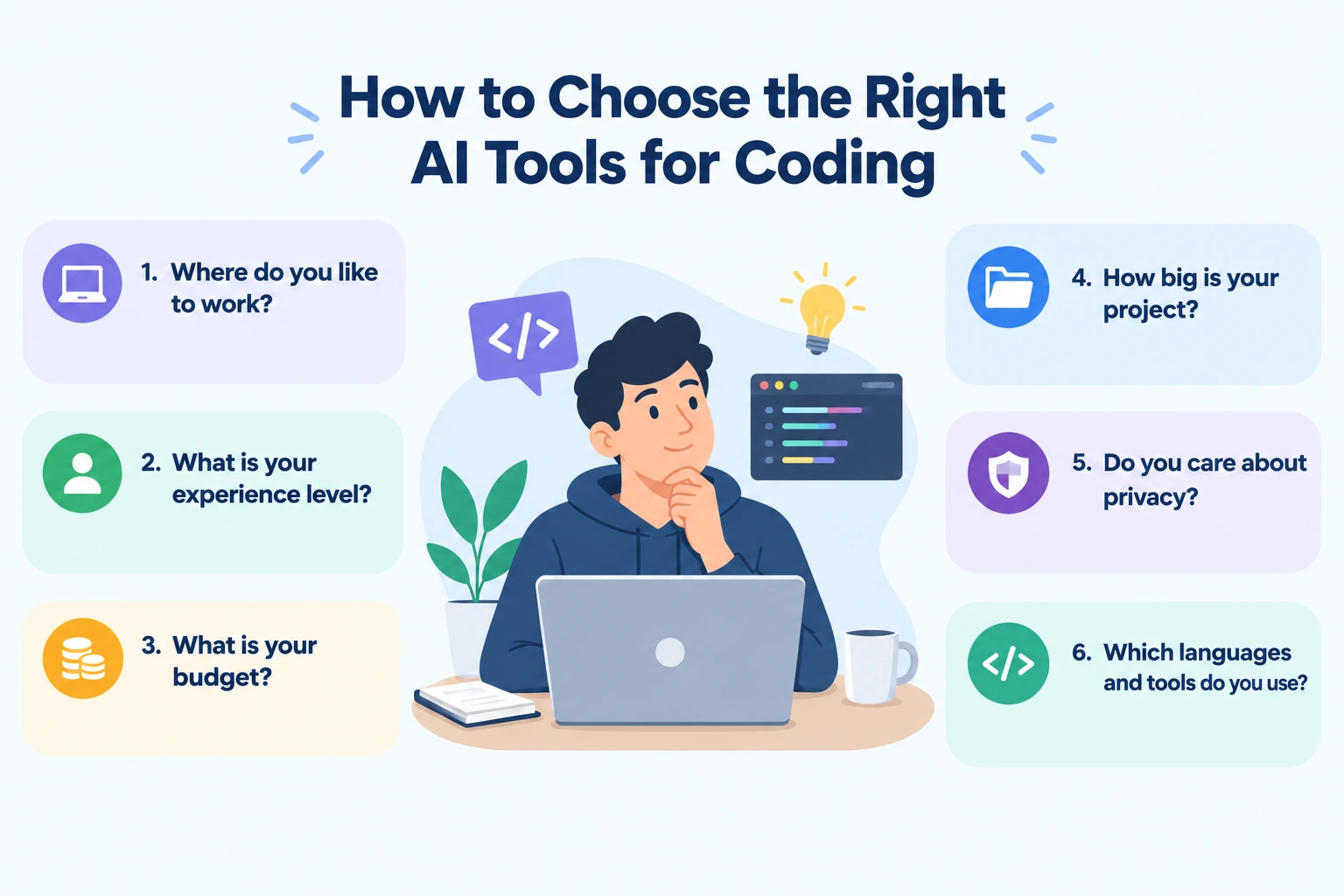












 ROI Calculator