How to Choose the Right HTML Project for Your Level
20 HTML Project Ideas Organised by Specialisation
Your 30-Day Plan to Finish Multiple HTML Projects
Key Insights
Build beginner-friendly projects like tribute pages, personal profiles, recipe websites, and survey forms to strengthen your HTML fundamentals.
Work on portfolio websites, landing pages, e-commerce pages, and college websites to gain practical web development experience.
Explore to-do lists, weather apps, currency converters, and quizzes to practise HTML with CSS and JavaScript.
Create and publish 3–5 well-finished projects to showcase your skills and strengthen your web development portfolio.
Reading about HTML tags and attributes is useful, but building real projects is where you put that knowledge into practice. Projects help you understand web page structure, improve your coding skills, and create work you can showcase.
This Guide features 20 HTML project ideas for students and beginners, ranging from basic HTML project ideas to HTML mini project ideas and interactive projects using CSS and JavaScript. Choose one based on your skill level and start building.
HTML (HyperText Markup Language) is the standard language used to structure every web page you visit. It tells the browser what is a heading, a paragraph, an image, a link or a form. CSS then controls the design, and JavaScript adds behaviour. Knowing the tags is useful, but building projects is where the concepts finally stick.
Working on projects helps you in four practical ways:
Apply What You Learn: Tutorials explain what a tag does, while projects show you when and why to use it.
Build a Job-Ready Portfolio: Recruiters value practical work. A hosted page or GitHub repository can demonstrate your skills more effectively than a certificate alone.
Learn Core Front-End Concepts: Semantic tags, responsive layouts using Flexbox and Grid, form validation, DOM scripting, and API calls are naturally covered through projects
Grow in Confidence: Every completed page helps you improve at debugging, organising your code, and completing tasks, skills that are valuable in interviews and real-world teams.
How to Choose the Right HTML Project for Your Level
Not every idea suits every stage. Use this table to match your current skills to a project type, and move up only when the current level feels comfortable.
Level
What you should know
Best project type
Time per project
Beginner
Core HTML tags, links, images and lists
Basic HTML project ideas: single pages that need little or no styling
HTML mini project ideas: multi-section or multi-page sites with forms
4–8 hours
Advanced
HTML, CSS and JavaScript basics, fetch API
Interactive apps that read, store or update data
8–15 hours
20 HTML Project Ideas Organised by Specialisation
Each table below focuses on one specialisation, from core page structure to API-driven apps. The Ideal for column tells you which learners or career paths benefit most from that build, so you can pick projects that match where you want to go.
1. Basic HTML Project Ideas for Beginners (Core Page Structure)
These builds teach headings, paragraphs, lists, images, links and navigation. They are perfect for your very first week.
Project
What you will build
Key tags & skills
Level · Time
Ideal for
Tribute or memorial page
A one-page tribute to someone you admire, with a heading, short biography, portrait, key dates and a quote.
h1–h6, p, img, figure, blockquote
Beginner · 2–3 hrs
First-time learners
Personal profile page
A simple “About me” page listing your interests, education, skills and social links.
header, section, ul, a, img
Beginner · 2 hrs
School students starting out
Technical documentation site
A multi-page guide for a tool or product with a side or top menu, plus sections like installation, features and troubleshooting.
nav, a, ol, ul, code, anchor links
Beginner–
Intermediate 6–8 hrs
Aspiring technical writers
Recipe website
A cooking site with cuisine categories, ingredient lists, step-by-step methods, photos and a video.
7. Website Project Ideas for Students in HTML (College and School Submissions)
If you need a project for a class, semester or internship submission, choose something with a clear purpose and several linked pages. These website project ideas for students in HTML are easy to explain in a viva and simple to extend with CSS or JavaScript later.
Project
Pages and sections to include
Bonus feature
Ideal for
College or department website
Home, About, Courses, Faculty, Gallery, Contact
Sticky navigation bar, responsive card grid
BCA, BSc IT and diploma students
Online result or marksheet page
Student details, subject-wise marks table, grade legend
Print-friendly stylesheet
Class 11–12 computer science students
Library or book catalogue
Book list table, category menu, search box, contact page
Consistency matters more than speed. Follow this simple weekly plan to work through the basic HTML project ideas and HTML mini project ideas above and end with a published portfolio.
Week
Focus
Projects to build
Outcome
Week 1
HTML fundamentals
Tribute page, personal profile page
Clean semantic structure
Week 2
Forms and tables
Survey form, class timetable, event registration page
To-do list, weather app, then publish everything on GitHub Pages
A live, shareable portfolio
Tools You Need to Build and Test HTML Projects
Code editor: VS Code, Sublime Text or Notepad++
Browser with developer tools: Chrome or Firefox for testing layouts and fixing bugs.
Live preview: the Live Server extension or CodePen for instant results.
Version control and hosting:Git and GitHub, with GitHub Pages for free hosting.
Quality checks: the W3C validator for markup errors and Lighthouse for performance and accessibility scores.
What Makes a Good HTML Project?
A strong project is more than a nice-looking page. It shows technical understanding, attention to users and real-world thinking. Even the simplest HTML project ideas stand out when they meet these five points:
Clear structure: Use semantic tags such as header, nav, main, section and footer. They improve readability, accessibility and search engine understanding.
Responsive design: Your page should adapt to mobile, tablet and desktop using flexible units, Flexbox or Grid, and media queries.
Accessibility: Add descriptive alt text to images, label every form field, use meaningful link text and make sure the page works with a keyboard.
Working elements: Buttons, links, menus and forms must do what users expect, with helpful feedback when something goes wrong.
Clean, reusable code: Use consistent indentation, sensible class names and comments. If you want to strengthen your styling knowledge next, revise these CSS interview questions.
HTML projects turn passive learning into real skill. The 20 ideas above range from a simple tribute page to interactive apps that use live data, so there is a starting point for every level, whether you prefer basic HTML project ideas or ambitious interactive builds.
Pick one project from each specialisation, finish it, publish it and move on to the next. In a month you will have a portfolio that proves you can structure, style and ship real web pages, and a strong foundation for a career in front-end or full-stack development.
Frequently Asked Questions
The best HTML project ideas for beginners are a tribute page, personal profile page, survey form, recipe website and image gallery. They use core tags such as headings, lists, images, links and forms, need no JavaScript, and can be finished in a few hours.
Good options include a college website, an online result page, a library catalogue, a tourism site and a class timetable. These website project ideas for students in HTML have several linked pages, clear content and are easy to explain in a viva or presentation.
Simple HTML mini project ideas include a resume page, product landing page, event registration form, pricing page and restaurant menu site. Each takes about four to six hours and demonstrates layout, forms and responsive design.
No. Many basic HTML project ideas can be completed with HTML alone. CSS improves the look of a page and JavaScript adds interactivity, so you can learn both gradually as your projects become more advanced.
You can study HTML web page design examples on CodePen, in public GitHub repositories and by inspecting live websites with your browser’s developer tools. Rebuild the layout from scratch and change the content instead of copying code.
Three to five well-finished projects are enough for a beginner portfolio. Choose different types, such as a landing page, a form page, a responsive portfolio and one JavaScript app, so recruiters can see your range.
A basic project usually takes two to four hours, a mini project four to eight hours, and an interactive project eight to fifteen hours. The time depends on your experience and how much styling and scripting you add.
Yes, you can build a static multi-page website with HTML alone, using links to connect pages. It will look plain and lack interactivity, so most developers add CSS for design and JavaScript for dynamic features.
Yes. Recruiters look for live, working examples. HTML projects hosted on GitHub or a personal site prove you can structure content, build responsive layouts and handle forms, which are core skills for front-end and full-stack roles.
Shubham Lal
Lead Software Developer
Shubham Lal joined Microsoft in 2017 and brings 8 years of experience across Windows, Office 365, and Teams. He has mentored 5,000+ students, supported 15+ ed-techs, delivered 60+ keynotes including TEDx, and founded AI Linc, transforming learning in colleges and companies.
Get Free Upskilling Guidance
Fill in the details for a free consultation
Related Courses
Explore our programs
Advanced Certification Programme in Generative AI & Large Language Models
 HOME > BLOG > IT/Software Development > 20 HTML Project Ideas for Students and Beginners to Build in 2027
 May 12, 2025
 8 min read




 Key Insights
 ChatGPT
 Perplexity
 Claude
 Grok
Grok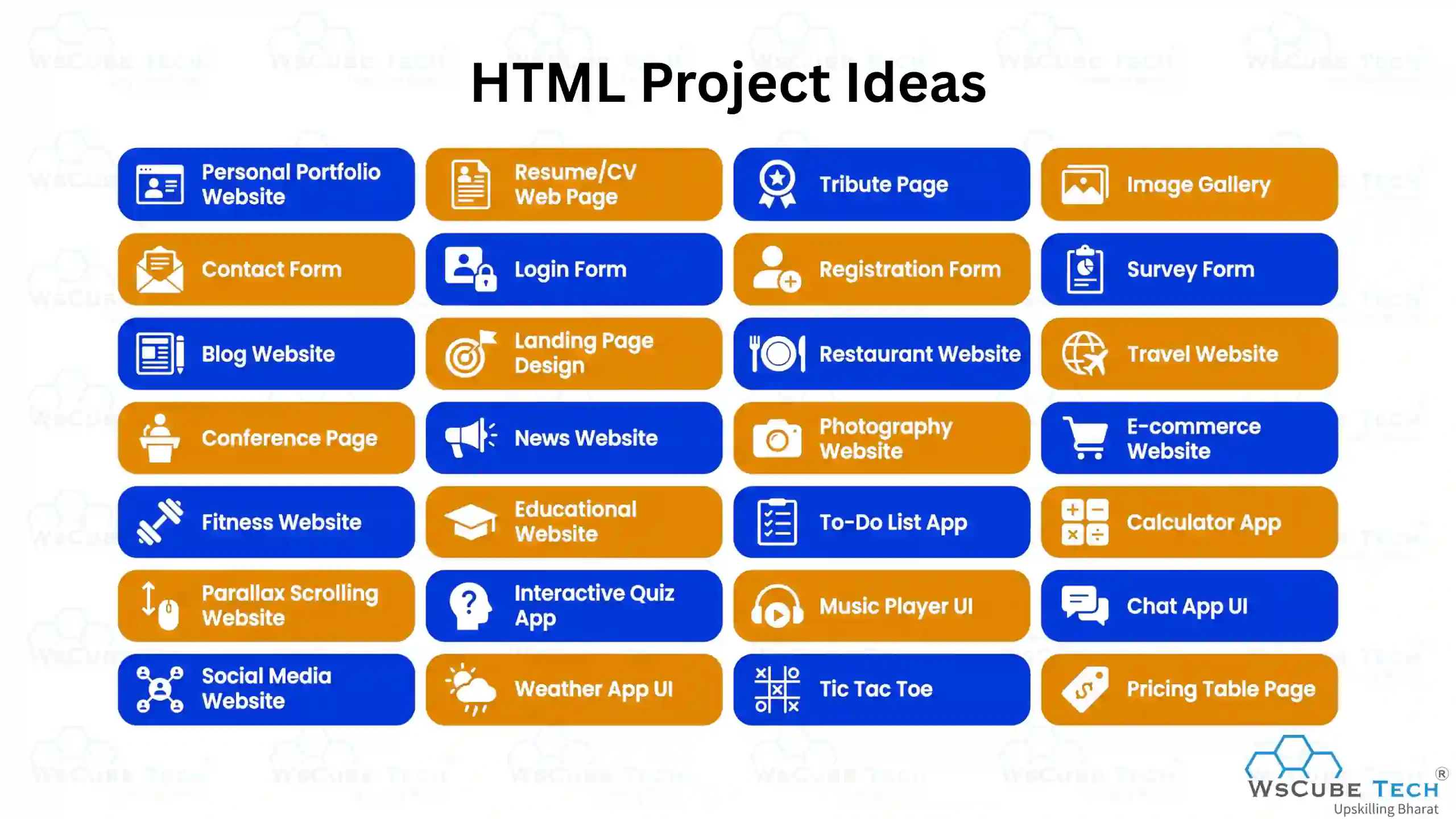











 ROI Calculator