Business Process Automation vs RPA vs Hyperautomation
How Business Automation Boosts Profits
Business Processes You Can Automate
Key Insights
Business automation uses software, rules and AI to run repetitive tasks and workflows with little manual effort, so teams spend their time on work that needs judgement.
Business process automation (BPA) is about end-to-end workflows such as onboarding or invoice-to-payment, while robotic process automation (RPA) automates individual, rule-based tasks inside them.
McKinsey's analysis of workplace automation found that the benefits typically run between three and ten times the cost, but only when processes are redesigned and not merely sped up.
The best candidates for automation are high-volume, repetitive, rule-based processes with clear inputs and outputs, such as invoice processing, data entry and approvals.
A broken process automated is still a broken process, so map and simplify first, pilot small and measure results against a baseline.
In this blog, you'll learn what business automation is, how it boosts profit, which processes to automate, how to choose software, a step-by-step plan and how to calculate ROI.
Look closely at how work actually flows through a company and you will find hours lost to copying data between systems, chasing approvals over email and re-checking numbers that software could verify in seconds. These small delays add up to slower service, higher costs and tired teams.
Business automation is the practical answer. This guide explains what it is, how business process automation differs from related terms, how it can improve profit, and which processes to automate first. It also covers business automation software, a step-by-step implementation plan, ROI and the risks to watch.
Business automation is the use of software, rules-based workflows and artificial intelligence to carry out tasks and processes that people would otherwise do manually. Typical examples include sending invoices automatically, routing a leave request to the right approver, updating a customer record across systems, or flagging an unusual transaction for review.
The goal is not to remove people from the business. It is to remove repetitive work so that people can focus on analysis, relationships, creativity and decisions. This is a core part of digital transformation, where companies redesign how work gets done using technology.
Stronger compliance: automated logs and checks create audit trails.
Higher employee value: staff spend time on analysis and problem solving.
McKinsey’s research on workplace automation found that when automation is applied to business processes, the benefits, ranging from higher output to better quality and reliability, typically run between three and ten times the cost. That analysis dates from 2015, and results vary by process and company, but it shows why the financial case is often strong. The key phrase is “when applied well”: the gains come from redesigning processes, not from digitising a bad one.
Good candidates start with a clear picture of the workflow, and our guide to process design in operations management explains how to map one. Common areas include the following.
Finance and Accounting
Invoice capture and matching, expense approvals, payment reminders, reconciliations and month-end reporting. These are repetitive, rule-based and data-heavy.
Human Resources
Candidate screening workflows, onboarding checklists, leave management, payroll inputs and exit formalities. Our guide to top HR tools and software covers options in this area.
Sales and Marketing
Lead capture and scoring, follow-up emails, CRM updates and campaign reporting. Browse our list of the best CRM tools to see what is available.
Operations and Supply Chain
Order processing, inventory alerts, purchase orders, shipment tracking and quality checks. If this is your area, our overview of operations management is a useful foundation.
Customer Service
Ticket routing, chatbots for common questions, status updates and satisfaction surveys.
IT and Administration
Access provisioning, password resets, report generation and document filing.
Business Automation Software: Types and How to Choose
There is no single tool for everything. Business automation software generally falls into these categories.
Category
Best for
Examples of tools
Workflow and integration tools
Connecting apps and triggering actions
Zapier, Microsoft Power Automate
RPA platforms
Automating rule-based tasks in legacy systems
UiPath, Automation Anywhere
BPM suites
Modelling and managing complex processes
Enterprise BPM platforms
CRM and marketing automation
Sales, marketing and service workflows
CRM platforms with automation features
ERP modules
Finance, supply chain and HR processes
Enterprise resource planning systems
AI-powered automation
Document understanding, summarisation and agents
AI workflow and agent platforms
Treat these names as examples, not recommendations. To compare newer options, see our guide to the best AI workflow automation tools.
Criteria for Choosing Automation Software
Fit with the process: does it handle your actual workflow, including exceptions?
Integration: can it connect with your existing systems?
Ease of use: can business users build and change workflows, or does every change need a developer?
Security and compliance: data protection, access control and audit logs.
Scalability and cost: pricing as volume grows, including licences, implementation and maintenance.
Support and community: training, documentation and vendor reliability.
How to Implement Business Process Automation: Step by Step
Identify and prioritise processes. List candidates and score them on volume, repetitiveness, error rate and business impact. Start where the payoff is clear.
Map the current process. Document each step, handover, delay and exception. You often find waste before you automate anything.
Simplify first. Remove unnecessary steps. Principles from lean management and Six Sigma help you cut waste and variation.
Set a baseline and goals. Record time per task, error rates and cost, so you can prove improvement later.
Choose the tool and approach. Match the problem to the software category above.
Pilot with a small scope. Test with real data and users, fix issues and measure results.
Scale gradually. Expand to similar processes using what you learned.
Monitor and improve. Track performance, handle exceptions and update workflows as the business changes.
Manage change. Communicate early, train people and explain how roles will evolve.
AI and Business Automation
Traditional automation follows fixed rules. AI adds the ability to handle unstructured inputs such as emails, documents and images, and to draft, classify and summarise. McKinsey Global Institute analysis shows how this widens the field: in its 2023 research, the technical automation potential of processing data rose from 73% to 90.5% when generative AI was factored in, and the potential for activities such as applying expertise jumped much more.
AI also brings new risks, including inaccurate outputs, bias and data privacy concerns. The safest approach is to keep a human in the loop for decisions that affect customers, money or compliance, and to test outputs before trusting them.
Consider an illustrative example. A company processes 2,000 invoices a month. Manual handling takes about 6 minutes per invoice, or 200 hours a month. Automation reduces this to 1.5 minutes, or 50 hours, saving 150 hours a month. At an assumed loaded cost of ₹400 per hour, the saving is ₹60,000 a month, or ₹7.2 lakh a year. If software and setup cost ₹4 lakh in the first year, ROI is (7.2 − 4) ÷ 4 = 80%. These numbers are hypothetical, so use your own data. For more on measuring returns, read our guide on how to calculate ROI.
Also count softer benefits, such as fewer errors, faster customer response and employee time freed for higher-value work, even if you do not put a figure on them.
When Not to Automate
Skip automation for processes that are rare, constantly changing or dependent on human empathy and negotiation. The effort of building and maintaining a workflow can outweigh the savings, and a poorly handled sensitive conversation can cost more than it saves.
Automating a bad process: speed does not fix a flawed workflow.
Over-automation: not every task should be automated, especially those needing empathy or judgement.
Security and compliance: bots and integrations need access, so manage permissions carefully.
Maintenance: workflows break when systems or rules change.
Change resistance: people may fear job loss, so clear communication matters.
Vendor lock-in: consider how easily you can move or export your workflows.
Hidden costs: training, integration and support can exceed licence fees.
Srskills and Caree in Business Automation
Automation has created roles across operations, technology and analytics, from process analysts to automation engineers and operations managers. If you want to understand the technical side, see who an automation engineer is. The most valuable professionals combine process thinking, data skills and an understanding of business goals.
Conclusion
Business automation pays off when it is applied to the right processes, in the right order. Map and simplify your workflows, pick a few high-volume tasks, pilot carefully, measure against a baseline and scale what works. Add AI where it fits, and keep people involved in judgement-heavy decisions.
If you want to lead process improvement and automation initiatives, the IIM Visakhapatnam Post Graduate Certificate Programme in Operations Management and Analytics is an 8 to 10 month blended programme for graduates with at least one year of work experience. Its curriculum includes business process management and process automation, with topics such as process mapping, process mining and the basics of RPA, along with Lean Six Sigma and generative AI applications in operations. Check the programme page for current batch dates and details.
Frequently Asked Questions
Business automation is the use of software, rules and AI to perform repetitive tasks and workflows with minimal manual effort, freeing people for higher-value work.
Business process automation (BPA) automates an end-to-end workflow, such as employee onboarding or invoice-to-payment, across multiple steps, systems and teams.
BPA covers whole processes. RPA uses software bots to automate individual, rule-based tasks, such as copying data between systems, and is often one component of a BPA initiative.
Start with high-volume, repetitive, rule-based processes with clear inputs and outputs, such as invoice processing, data entry, approvals and reporting.
It is software that automates workflows and tasks. Types include workflow and integration tools, RPA platforms, BPM suites, CRM and marketing automation, ERP modules and AI-powered automation.
Costs vary widely with tools, complexity and scale. Include licences, implementation, training and maintenance, and estimate ROI using time saved, errors avoided and revenue gained.
Automation changes tasks more than it removes whole jobs, shifting people toward analysis, relationships and oversight. Retraining and clear communication are important.
Pick one painful, repetitive process, map it, simplify it, set a baseline, pilot a tool on a small scale and measure the result before expanding.
Nuthana Reddy
Nuthana Reddy is a Senior Manager at Procter & Gamble, specializing in operations, digitization, and cross-functional leadership. She has driven multimillion-dollar impact through innovation, process optimization, and strategic execution across global markets.
Get Free Upskilling Guidance
Fill in the details for a free consultation
Related Courses
Explore our programs
Executive Programme in Operations Management and Analytics

 October 19, 2026
 7 min read





 Key Insights
 ChatGPT
 Perplexity
 Claude
 Grok
Grok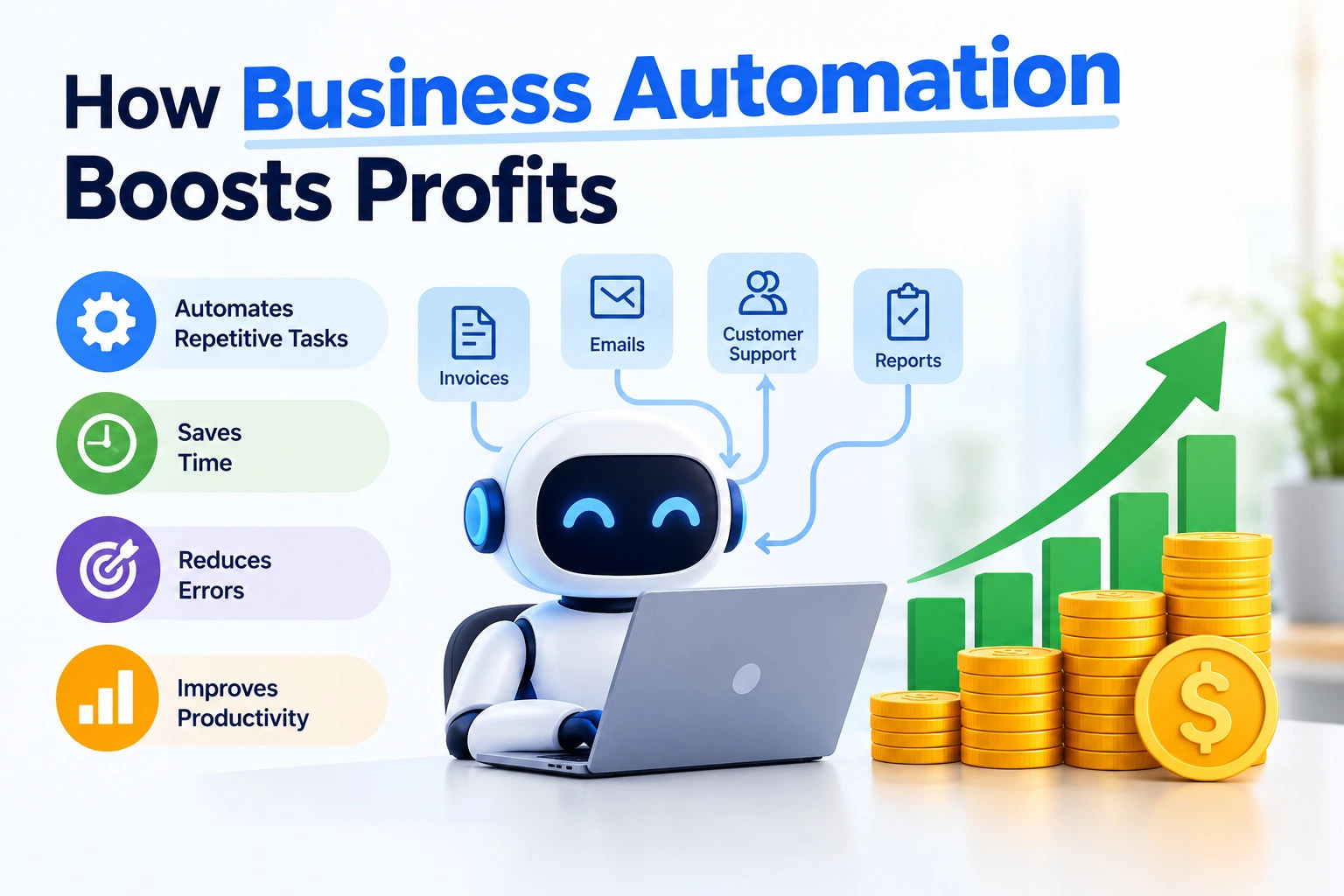









 ROI Calculator