PHP programming is one of the most accessible entry points into the world of web development — and for good reason. Powering over 77% of all websites with a known server-side language, PHP remains a dominant force in backend development. Whether you’re a complete beginner or someone looking to sharpen their technical skill set, learning PHP opens doors to building dynamic, database-driven websites from scratch.
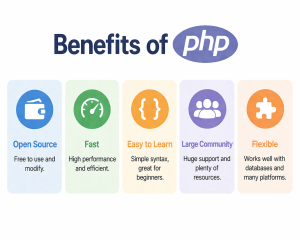
So why does PHP still matter in 2026? Simply put, PHP is practical. It’s free, open-source, runs on virtually every hosting platform, and has a massive community behind it. The learning curve is gentle enough for beginners yet deep enough to keep experienced developers engaged.
Learning PHP in six structured steps keeps the process manageable and logical. You’ll move from setting up your environment to writing real, functionalPHP projects for beginners — building confidence at every stage. If you’re also exploring a broader path in technology education, anonline computer science degreecan complement your self-taught PHP journey beautifully.
Let’s start where every great PHP developer starts — with the right development environment.
Step 1: Setting Up Your Development Environment
Before you write a single line in the PHP programming language, you need a properly configured environment. Think of it as setting up your workbench before you start building — the right tools make everything go more smoothly.
What You’ll Need
Getting started requires three core components:
A local server stack — XAMPP or WAMP bundles Apache, MySQL, and PHP into one easy installation
A code editor — VS Code, Sublime Text, or Notepad++ — works great for beginners
A browser – Chrome or Firefox – with developer tools for testing your output
Installation Walkthrough
Download XAMPP (free and widely used) from the official Apache Friends website. Install it, launch the control panel, and start both the Apache and MySQL modules. Once the indicators turn green, your local server is live.
Create a folder inside the htdocs directory — that’s your project home. Any PHP file you save there becomes immediately accessible through localhost in your browser.
A clean development environment isn’t optional — it’s the foundation every successful PHP project is built on.
If you’re also exploring other server-side technologies alongside PHP, it helps tounderstand how web languages comparebefore committing to a full learning path.
With your environment ready, the next logical step is understanding how the language actually speaks, which is exactly what PHP syntax and language basics will reveal.
Step 2: Mastering PHP Syntax and Language Basics
With your environment ready, it’s time to dive into the actual PHP programming language. Syntax is the foundation — get it wrong, and your PHP programs simply won’t run. Get it right, and everything else builds naturally on top.
Core Syntax Rules to Know First
Every PHP file begins with the <?php opening tag. Statements end with a semicolon, and the language is case-insensitive for function names but case-sensitive for variables. A few essentials to internalize early:
Variables start with a $ sign (e.g., $name = “PHP”;)
Data types include strings, integers, floats, booleans, and arrays
Comments use // for single-line or /* */ for multi-line blocks
Echo outputs content to the browser: echo “Hello, World!”;
Understanding Control Structures
Control structures — if, else, for, while, and switch — direct how your program flows. These are universal programming concepts, but PHP’s implementation is beginner-friendly. Resources like the PHP tutorial on W3Schools offer interactive examples that reinforce these concepts quickly.
Strong syntax habits from day one make debugging faster and code more readable — a principle that pays dividends as projects grow in complexity. If you’re also exploring broader development skills, understandinghow PHP fits into full-stack work is worth early consideration.
Once syntax clicks, you’re ready to actually run your code — which is exactly what the next step covers.
Understanding how to execute PHP program files is where theory finally meets practice. You’ve set up your environment; you’ve learned the syntax — now it’s time to actually run your PHP programs and see results in the browser.
Running Your First PHP File
Save your file with a .php extension inside your server’s root directory (typically htdocs for XAMPP or www for WAMP). Then open your browser and navigate to http://localhost/yourfile.php. If everything’s configured correctly, your output renders instantly.
A common pattern is to start with a simple phpinfo() function call — it displays your full server configuration and confirms your setup is working.
Debugging and Verifying Output
When PHP programs don’t produce expected results, enable error reporting at the top of your file:
error_reporting(E_ALL);
ini_set(‘display_errors’, 1);
This surfaces hidden issues immediately. For deeper troubleshooting, resources like this beginner-friendly PHP course walk through common execution errors visually.
Once you’re comfortable running PHP programs confidently, you’re ready to tackle one of PHP’s most powerful real-world applications: handling form data.
Step 4: Utilizing PHP for Form Management
Once you’ve practiced executing basic PHP programs, the next logical step is learning how forms work — because forms are everywhere. Contact pages, login screens, search bars, newsletter signups — all of these rely on PHP programming to process user input and deliver meaningful responses.
Why Forms Matter in PHP
HTML creates the form structure, but PHP handles what happens after someone clicks “Submit.” The two work together seamlessly. Understanding this relationship is a critical milestone when you learn PHP for web development.
Handling Form Data with GET and POST
PHP captures form data using two superglobal arrays: $_GET and $_POST. Here’s the core difference:
$_POST — Sends data invisibly in the request body; ideal for sensitive inputs like passwords
$_GET — Appends data to the URL; better for search queries or filters
Validation and Security Basics
Never trust raw user input. One practical approach is to always sanitize data using functions like htmlspecialchars() and filter_var(). This prevents common vulnerabilities before they become real problems — especially important since PHP powers a massive share of the web. Understandinghow databases store this data becomes your next natural challenge, which connects directly to what’s coming in Step 5.
No PHP tutorial is complete without covering database integration — because static pages only go so far. The real power of PHP programming kicks in when your application can store, retrieve, and manipulate data dynamically.
Why Databases Matter in PHP
PHP and MySQL are one of the most widely used combinations in web development. Together, they power everything from simple contact form submissions to complex e-commerce platforms. If you’re exploring backend technologies for modern apps, PHP with MySQL is consistently cited as a foundational pairing worth learning.
Connecting PHP to MySQL
PHP uses MySQLi (MySQL Improved) or PDO (PHP Data Objects) to communicate with databases. PDO is generally preferred because it supports multiple database types and offers better security practices.
A basic connection looks like this:
$conn = new PDO(“mysql:host=localhost;dbname=mydb”, “username”, “password”);
Always use prepared statements to prevent SQL injection — one of the most common security vulnerabilities in web applications.
Basic CRUD Operations
Once connected, you can perform four core operations:
Create — INSERT data into tables
Read — SELECT and display records
Update — Modify existing entries
Delete — Remove unwanted records
Dynamic data storage is what separates a functioning web application from a collection of static HTML pages — and PHP makes that transition surprisingly accessible.
Practicing CRUD through small php programs, like a simple to-do list or user registration form, builds real confidence fast. With database skills in your toolkit, you’re now ready to think in terms of scalable, structured code — which leads perfectly into object-oriented programming.
Step 6: Implementing Object-Oriented Programming in PHP
Once you’ve mastered forms and database connections, it’s time to level up. Object-Oriented Programming (OOP) is where PHP programming truly transforms from scripting to structured software development — and it’s an essential milestone on your learning path.
Why OOP Matters Beyond PHP Basics
PHP basics get you started, but OOP keeps your code organized as projects grow. Instead of writing long, tangled scripts, OOP lets you bundle data and behavior into reusable classes and objects. Think of a class as a blueprint — a User class, for example, can define properties like ‘name’ and ’email’, plus methods like login() or logout().
Key OOP concepts to learn in PHP:
Classes and Objects — defining and instantiating blueprints
Inheritance — extending classes to reuse and build on existing logic
Encapsulation — protecting data using access modifiers like private and public
Polymorphism — allowing different classes to share method names with distinct behaviors
In practice, these principles make your PHP programs easier to maintain, test, and scale. If you’re aiming towardfull-stack development skills, understanding OOP in PHP is practically non-negotiable.
Well-structured OOP code isn’t just cleaner — it’s the foundation that separates hobbyist scripts from professional-grade PHP applications.
Resources like Learn PHP on Codecademy walk beginners through OOP progressively, making the concepts accessible without overwhelming detail. With these six steps now covered, you’ll find it easier to reflect on the core lessons that tie everything together — which is exactly what’s up next.
Key Takeaways: Your PHP Steps Summarized
You’ve covered a lot of ground. Before wrapping up, here’s a quick recap of the core PHP steps that take you from complete beginner to confident developer.
What this journey covered:
Syntax and structure — Understanding how PHP programs are written, executed, and embedded in HTML
Control flow — Using conditionals and loops to make dynamic decisions
Functions and forms — Capturing user input and organizing reusable logic
Database integration — Connecting PHP to MySQL to build data-driven applications
OOP principles — Structuring code with classes, objects, and inheritance for real-world scalability
In practice, the most effective learners don’t rush through these stages — they build small projects at each step to reinforce what they’ve learned. Resources like this beginner-friendly PHP course can help fill any gaps along the way.
PHP programming rewards consistency over speed. Even 30 minutes of daily practice compounds dramatically over weeks.
Once you’re comfortable with these fundamentals, the natural next move is exploringhow PHP fits into broader web stacks — combining it with front-end tools and deployment environments.
Frequently Asked Questions
Most beginners can grasp the fundamentals of PHP programming within 4–8 weeks with consistent daily practice. Building real-world confidence — including database connections and OOP — typically takes 3–6 months. Structured resources like this beginner-friendly PHP tutorial can significantly accelerate that timeline.
Yes. Since PHP generates dynamic HTML output, a working knowledge of HTML is essential. If you’re still getting comfortable with markup, brushing up on the right coding tools first will make your PHP development journey much smoother.
To execute a PHP program, install a local server environment like XAMPP, place your .php file inside the htdocs folder, and open localhost/yourfile.php in a browser. It’s straightforward once your environment is configured.
Absolutely. PHP powers over 75% of server-side websites globally, and PHP development skills remain in strong demand — especially for content management systems, e-commerce platforms, and backend web applications.
Shubham Lal
Lead Software Developer
Shubham Lal joined Microsoft in 2017 and brings 8 years of experience across Windows, Office 365, and Teams. He has mentored 5,000+ students, supported 15+ ed-techs, delivered 60+ keynotes including TEDx, and founded AI Linc, transforming learning in colleges and companies.

 April 15, 2026
 9 min read




 ChatGPT
 Perplexity
 Claude
 Grok
Grok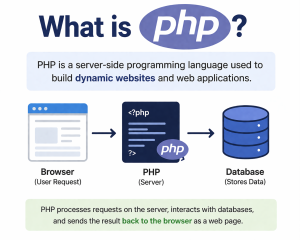




 Admission Open
 Admission Open

 Admission Open
 ROI Calculator