Introduction to Free Online Python Compilers and Interpreters
Python is one of the most popular programming languages on the planet — and for good reason. Whether you’re just starting or debugging a complex script at 2 a.m., having instant access to a Python compiler without downloading a thing is a genuine game-changer. No installations. No configuration headaches. Just code, run, and learn.
Free online Python compilers and interpreters have quietly revolutionized how developers, students, and hobbyists approach coding. According to the TIOBE Index, Python consistently ranks among the top programming languages globally, which explains the explosive demand for accessible, browser-based tools that let anyone write and execute Python code instantly.
The best part? These tools work across devices. Whether you’re on a laptop in a coffee shop or cramming Python concepts for a computer science degree, you can spin up a coding environment in seconds.
From beginners exploring their first print(“Hello, World!”) to professionals prototyping quickly, online Python environments lower the barrier to entry dramatically. In the sections ahead, we’ll break down exactly what you need to get started — including the tools, tips, and features worth knowing.
What Is a Python Compiler and Interpreter?
Before wrapping up this guide, it helps to understand what’s actually happening under the hood when you run Python code — whether locally or through a browser-based tool.
Python is an interpreted language, which means code is executed line by line rather than compiled all at once into machine code. When you hit “Run” in any online environment, an interpreter reads your script, translates it into bytecode, and executes it in real time. This is why Python feels so interactive and forgiving for beginners.
Technically, Python does involve a compilation step, but it happens invisibly, converting your .py file into bytecode (.pyc) before the interpreter processes it. Tools like the Jupyter Python online compiler take this a step further, running code in discrete cells so you can test logic incrementally without re-running an entire script.
“Understanding the difference between compilation and interpretation helps developers choose the right tool for debugging, optimization, and deployment.”
This distinction also explains why Python runs slightly slower than fully compiled languages. If you’re curious how that compares to lower-level languages, this breakdown of compiled languages offers useful context.
That foundational understanding of how Python executes code matters more than most beginners expect and it’s exactly why choosing the right compiler environment makes such a difference in your learning journey.
Here’s the refreshing part — using an online Python compiler requires almost nothing on your end. No complex setup, no installation headaches, no compatibility checks. If you’ve ever wrestled with configuring a local development environment, you already know how that can eat up an entire afternoon before you write a single line of code.
So what do you actually need? Let’s keep it simple:
A modern web browser — Chrome, Firefox, Safari, or Edge all work fine
An internet connection — even a basic one will do
A free account (optional) — some platforms let you save and share code with a quick sign-up
That’s genuinely it. No Python installation, no PATH variables, no version conflicts.
One practical consideration worth noting: browser performance matters more than you’d think. Running complex scripts or working with Python’s many powerful libraries inside a browser environment does have some limitations compared to a full local setup.
Online compilers are not magic — they’re purpose-built tools that handle execution on their servers, returning output to your screen almost instantly. Understanding that distinction helps set realistic expectations as we explore how these tools evolved into the robust platforms they are today.
The Rise of Online Python Compilers
The way developers write and test the code has shifted dramatically over the past few years. Cloud-based tools have quietly taken over workflows that once demanded heavy local setups — and Python, being the versatile language it is, has led that charge. Today, finding the best online Python compiler isn’t just a convenience; for millions of learners and professionals, it’s become the default way to code.
What’s driving this shift? Accessibility, mostly. Python already powers everything from data science to automation, and the demand for low-friction entry points has skyrocketed. Learners don’t want to configure environments before writing their first print(“Hello, World!”). They want instant feedback.
Online Python compilers have democratized programming by removing the single biggest barrier to getting started — setup.
In practice, the ecosystem has responded with a wide range of browser-based tools, each offering varying features like syntax highlighting, error tracing, and even AI-assisted debugging. Some tools, as covered in this comparison of online Python compilers, highlight how these platforms stack up across use cases.
If you’re also exploring other languages alongside Python, it’s worth checking out this beginner-friendly language guide to broaden your programming toolkit.
Ready to actually use one of these tools? Let’s walk through that process step by step.
Step-by-Step: How to Use an Online Python Compiler
Now that you know why these tools have become so popular, let’s get practical. Using an online Python compiler is genuinely straightforward, but a quick walkthrough helps you avoid the small stumbles that slow beginners down.
Here’s the general workflow across most platforms:
Open the tool — Navigate to the compiler in your browser. No sign-up is required on most platforms.
Find the code editor — You’ll see a text area, usually with syntax highlighting already active.
Write or paste your Python code — Start simple. A classic print(“Hello, World!”) works perfectly for testing.
Click Run — Look for a “Run,” “Execute,” or play button, typically green.
Check the output panel — Results appear instantly in a console window below or beside the editor.
One practical approach is to test small code chunks first before running longer scripts — it helps isolate errors faster.
Using an online Python compiler on a mobile device follows the exact same steps. Most modern platforms are fully responsive, meaning your phone’s browser handles everything cleanly — no app download needed. This makes squeezing in a coding session during a commute genuinely viable.
If you’re building toward stronger Python fundamentals, exploring structured Python learning paths alongside hands-on compiler practice accelerates your progress considerably. You can also deepen your skills by experimenting with data structures — try running a basic hash table directly in your compiler to see concepts come alive.
With the workflow clear, the next natural question becomes: which platform actually does this best?
Best Free Online Python Compilers
When it comes to choosing a reliable free online Python compiler, several platforms stand out for their features, usability, and performance.
1. Replit is one of the most versatile online coding environments available today. It goes beyond a simple compiler by offering a complete IDE experience in the browser. Users can write, run, and even deploy applications directly from the platform. It supports multiple programming languages, making it ideal for polyglot developers. Replit also enables real-time collaboration, allowing teams to code together seamlessly—similar to working in a shared document. Its intuitive interface and built-in hosting features make it especially popular among beginners, educators, and startup teams.
2. OnlineGDB is particularly useful for those who want deeper control over their code execution. Unlike many basic compilers, it includes a built-in debugger that allows step-by-step execution. This feature helps users understand how their code behaves at each stage, making it an excellent learning tool for debugging and algorithm tracing. It supports standard input/output operations and is a great choice for students preparing for coding interviews.
3. Programiz Python Compiler is designed with beginners in mind. Its clean and distraction-free interface ensures that new learners can focus entirely on coding. What sets Programiz apart is its integration with tutorials and explanations, allowing users to learn concepts alongside practice. It’s perfect for those who are just starting their Python journey and want a guided experience.
4. JDoodle is known for its speed and simplicity. It offers quick code execution with minimal setup, making it ideal for testing small snippets or running quick experiments. JDoodle supports multiple versions of Python, which is useful when working with version-specific features. Its lightweight interface ensures a smooth experience even on low-bandwidth connections.
5.Google Colab (short for Colaboratory) is a powerful tool tailored for data science and machine learning. It provides a notebook-style interface similar to Jupyter Notebooks and comes pre-installed with popular libraries like NumPy, Pandas, and TensorFlow. One of its biggest advantages is access to cloud-based GPUs and TPUs, enabling users to run computationally intensive tasks efficiently. This makes it a preferred choice for data analysts, researchers, and AI practitioners.
With so many browser-based options available today, choosing the right one can feel overwhelming. Not all tools are built the same — some prioritize speed, others offer richer debugging features, and a few are designed specifically for classroom or mobile use.
Here’s a quick breakdown of what typically separates a decent tool from the best online Python compiler for your needs:
Feature depth: Does it support libraries like NumPy or Pandas, or is it limited to standard Python?
Interface quality: Is the editor clean, syntax-highlighted, and easy to read?
Mobile responsiveness: More on this shortly, but usability on small screens varies wildly across tools.
Version support: Python 3.10+ compatibility matters for modern syntax features.
A common pattern for beginners is to start with a straightforward Python IDLE online compilerexperience—simple input/output, no configuration—and then migrate to more feature-rich environments as their projects grow in complexity. That progression is completely natural.
Tools also differ in how they handle packages. Some offer pip install support directly in the browser; others restrict you to built-in modules. If you’re experimenting with different programming paradigms, understanding these constraints early saves real frustration later.
According to ToolPix’s 2025 compiler comparison, AI-assisted tools are rapidly becoming the new standard — offering real-time error explanations and code suggestions that make troubleshooting dramatically faster.
The best tool is simply the one that removes friction from your workflow — whether that’s a lightweight editor for quick scripts or a full-featured environment for complex projects. In the next section, we’ll pull the most important considerations together.
Conclusion: Your Python Journey Starts Here
Whether you’re writing your very first print(“Hello, World!”) or debugging a machine learning pipeline, having the right online Python compiler in your corner makes all the difference. Throughout this guide, we’ve covered how these tools work, what to look for, and how to get the most out of them — no installation required.
The bottom line is simple: the best online Python compiler is the one that matches where you are right now — and grows with you.
Key Takeaways
Beginners benefit most from clean, distraction-free environments with instant feedback
Mobile learners need a responsive online Python compiler for mobile that doesn’t sacrifice functionality
Understanding how a Python compiler and interpreter work together helps you write more efficient code
Tools like Online Python make experimentation frictionless and free
If you’re serious about taking things further — think AI, ML, or full-stack development — consider pairing your practice with structured learning. Programs like an online MCA with Python specializationcan bridge the gap between hobby coding and career-ready skills.
The tools are free. The resources are everywhere. The only thing left is to start coding.
Frequently Asked Questions
For beginners, simplicity wins. Platforms offering a clean editor, instant output, and zero setup are ideal. Look for tools that support Python 3.x, offer syntax highlighting, and run directly in your browser — no downloads needed.
Yes! Several platforms are fully optimized as an online Python compiler for mobile, with responsive layouts and touch-friendly interfaces. Just open your browser, navigate to the platform, and start coding — even on a 5-inch screen.
In practice, reputable platforms run your code in sandboxed environments, meaning it’s isolated from other users’ sessions. However, avoid pasting sensitive credentials or private data into any browser-based tool, free or paid.
A traditional Python compiler converts code into an intermediate bytecode, while the interpreter executes that bytecode line by line at runtime. In everyday use, Python does both steps automatically — which is why it feels so fast and interactive compared to languages like C. Curious about those comparisons? Check out this breakdown of how C and Python differ at the project level.
Shubham Lal
Lead Software Developer
Shubham Lal joined Microsoft in 2017 and brings 8 years of experience across Windows, Office 365, and Teams. He has mentored 5,000+ students, supported 15+ ed-techs, delivered 60+ keynotes including TEDx, and founded AI Linc, transforming learning in colleges and companies.
Get Free Upskilling Guidance
Fill in the details for a free consultation
Related Courses
Explore our programs
Admission Open
Advanced Certificate Programme in Machine Learning, Gen AI & LLMs for Business Applications
 HOME > BLOG > IT/Software Development > Free Online Python Compiler and Interpreter: A Complete Guide 2026
 April 12, 2026
 9 min read




 ChatGPT
 Perplexity
 Claude
 Grok
Grok



 Admission Open

 Admission Closed
 Admission Open
 Admission Open
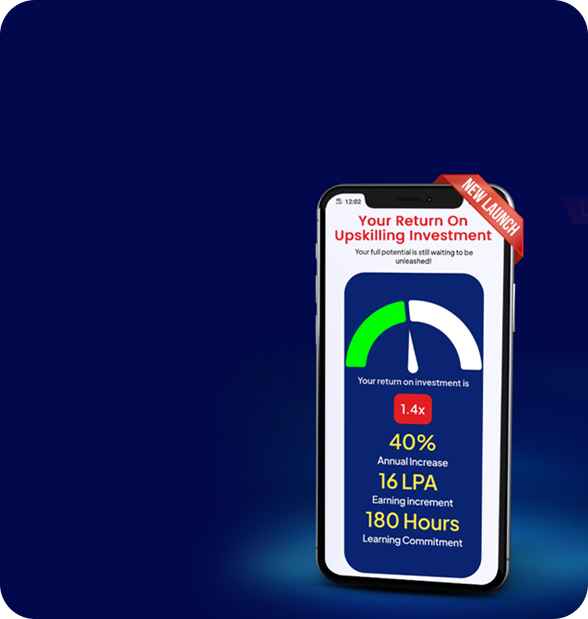
 ROI Calculator