
How to Make a Chatbot in Python?
 December 6, 2024
 7 min read




Table Of Content
- What is a Chatbot?
- Types of Chatbots
- How to Create a Chatbot Using Python?
- New Generation Chatbots
Creating a chatbot using Python has been admired by the business and technology sector. These intelligent bots are quite good at impersonating authentic human languages and conversing with humans. Because of this, corporations of various industries are using these chatbots to create commercial advantages, from e-commerce to healthcare organisations. But how exactly a chatbot in Python is created? Let’s delve into it and uncover the essentials of chatbot in Python.
 ChatGPT
 Perplexity
 Claude
 Grok
GrokWhat is a Chatbot?
Types of Chatbots
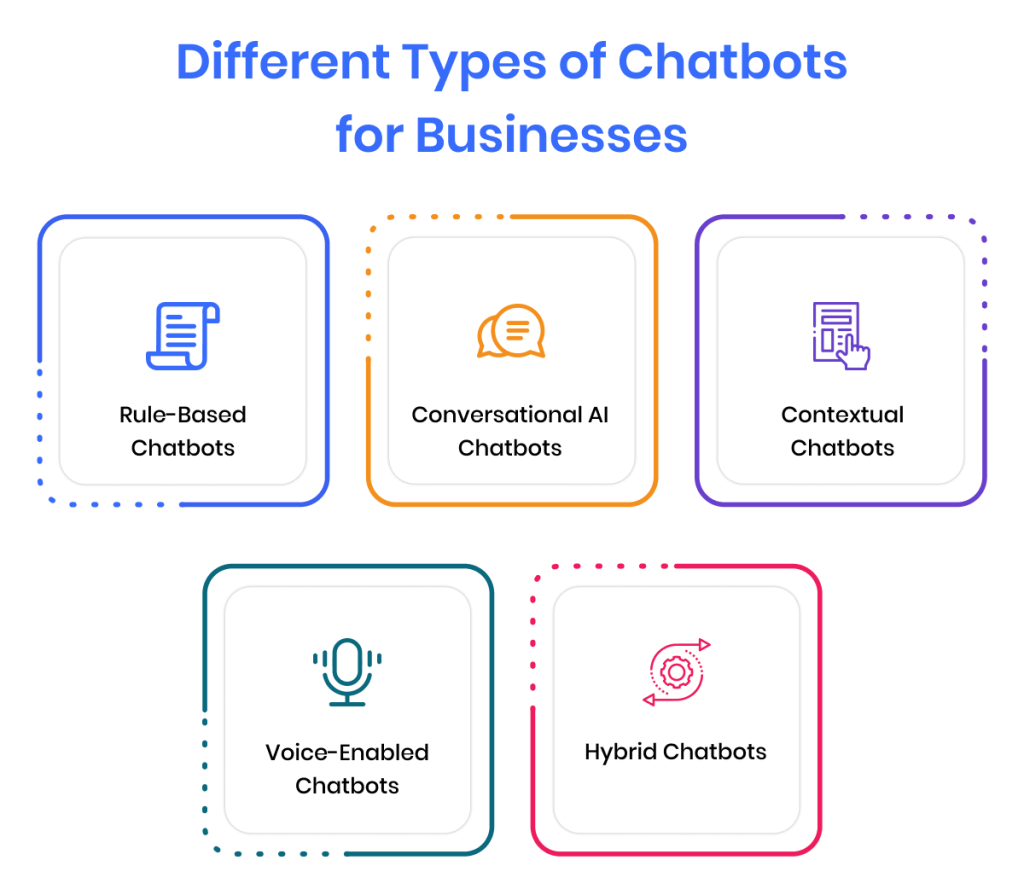
Rule-based Chatbots
The rule-based method, which was initially developed, enables a chatbot to answer enquiries using a set of pre-defined criteria. These established rules may be primary or more sophisticated. However, while chatbots powered by rules may answer simple questions, they usually fail to answer more sophisticated queries or requests.
Self-learning Chatbots
Self-learning bots, as the name suggests, are chatbots that can learn by themselves. These systems learn from events and behaviours by utilising cutting-edge technologies like Artificial Intelligence (AI) and Machine Learning (ML). They are further categorised into two types: generative bots and retrieval-based bots.
Generative Bots
A generative AI chatbot is a type of conversational AI system that generates human-like text responses in real time using deep learning and Natural Language Processing (NLP) techniques. These chatbots can converse with users through text, understand user input, and generate contextually relevant responses.
Retrieval-based Bots
A retrieval-based chatbot is designed to respond to specific input patterns. Once a question or pattern is entered, the chatbot uses a heuristic approach to generate the most appropriate response. To enhance the customer experience, retrieval-based chatbots are commonly developed as goal-oriented systems with configurable elements such as the bot’s conversation flow and tone.
How to Create a Chatbot Using Python?
To develop a chatbot using Python, a step-by-step approach needs to be followed. Coders should import all necessary packages and initialise the variables in the chatbot project. Additionally, coders, while dealing with text data, must perform data preparation on their dataset before creating a machine learning model. Furthermore, text data tokenisation comes in helpful here since it enables the fragmentation of a large text dataset into smaller, more legible chunks (like words). Following that, coders have the option of lemmatization, which changes a comment to its lemma form and generates a pickle file containing the Python objects necessary to anticipate the bot’s responses. The next phase of chatbot development is compiling the training and testing of data sets to see whether the codes that you have written are running effectively or not.
Now that we have covered the essentials of chatbots, let’s move further and learn how to create a chatbot in Python.
Following are the in-depth steps for creating a Python chatbot:
Get the Dependencies Ready
The first step in creating a chatbot in Python using the ChatterBot module is to install it on your system. It is strongly advised that you build and run the installation in a fresh Python virtual environment. To do so, open your Python terminal and run the following command.
pip install chatterbot
pip install chatterbot_corpus
Import Classes
The second step in constructing a Python chatbot is to import classes. Simply import two classes from chatterbot.trainers: ChatBot and ListTrainer. To accomplish this, use the following command:
from chatterbot import ChatBot
from chatterbot.trainers import ListTrainer
Developing and Training the Chatbot
Training a chatbot is an important part of creating a complete chatbot. After creating a new ChatterBot instance, coders may train the bot to improve its performance as it ensures that the bot has enough knowledge to respond to specific inputs. Then execute the following command:
my_bot = ChatBot(
    name='PyBot',
    read_only=True,
    logic_adapters=[
        'chatterbot.logic.MathematicalEvaluation',
        'chatterbot.logic.BestAnswer'
    ]
)
The argument corresponding to the parameter name specifies the name of your Python chatbot. You may use the read_only=True command to prevent the bot from learning after training, and the logic_adapters parameter to define the list of adapters used during chatbot training.
While chatterbot.logic.MathematicalEvaluation lets the bot solve mathematical problems, chatterbot.logic.BestAnswer helps it choose the best answer from a list of recently supplied responses.
It is important to provide a list of responses while creating code for a chatbot. One can do so by providing lists of strings that will be used to train the Python chatbot and choose the best match for each query. Here are some sample responses:
small_talk = [
    'hi there!',
    'hi!',
    'how do you do?',
    'how are you?',
    "i'm cool.",
    'fine, you?',
    'always cool.',
    "i'm ok",
    'glad to hear that.',
    "i'm fine",
    'glad to hear that.',
    'not so good',
    'sorry to hear that.',
    "what's your name?",
    "i'm pybot. ask me a math question, please."
]

math_talk_1 = [
    'pythagorean theorem',
    'a squared plus b squared equals c squared.'
]

math_talk_2 = [
    'law of cosines',
    'c**2 = a**2 + b**2 - 2 * a * b * cos(gamma)'
]
You can also build and train the bot by creating an instance of ListTrainer and passing it the following string lists:
list_trainer = ListTrainer(my_bot)

for item in (small_talk, math_talk_1, math_talk_2):
    list_trainer.train(item)



New Generation Chatbots
What is a Chatterbot Library?
How Does the Chatterbot Library Work?
Final Thoughts




Find a Program made just for YOU
We'll help you find the right fit for your solution. Let's get you connected with the perfect solution.
Is Your Upskilling Effort worth it?
 ROI Calculator

Are Your Skills Meeting Job Demands?
Try our Skill Gap tool
Experience Lifelong Learning and Connect with Like-minded Professionals
Explore Jaro Connect
